

【記事内に広告が含まれる場合があります】
Warning: Undefined array key 2 in /home/c1326575/public_html/yuyanote.com/wp-content/themes/sango-theme-poripu/library/functions/prp_content.php on line 15
Warning: Undefined array key 3 in /home/c1326575/public_html/yuyanote.com/wp-content/themes/sango-theme-poripu/library/functions/prp_content.php on line 18
Warning: Undefined array key 4 in /home/c1326575/public_html/yuyanote.com/wp-content/themes/sango-theme-poripu/library/functions/prp_content.php on line 21
Warning: Undefined array key 2 in /home/c1326575/public_html/yuyanote.com/wp-content/themes/sango-theme-poripu/library/functions/prp_content.php on line 27
Warning: Undefined array key 3 in /home/c1326575/public_html/yuyanote.com/wp-content/themes/sango-theme-poripu/library/functions/prp_content.php on line 30
Warning: Undefined array key 4 in /home/c1326575/public_html/yuyanote.com/wp-content/themes/sango-theme-poripu/library/functions/prp_content.php on line 33
Warning: Undefined array key 2 in /home/c1326575/public_html/yuyanote.com/wp-content/themes/sango-theme-poripu/library/functions/prp_content.php on line 15
Warning: Undefined array key 3 in /home/c1326575/public_html/yuyanote.com/wp-content/themes/sango-theme-poripu/library/functions/prp_content.php on line 18
Warning: Undefined array key 4 in /home/c1326575/public_html/yuyanote.com/wp-content/themes/sango-theme-poripu/library/functions/prp_content.php on line 21
Warning: Undefined array key 2 in /home/c1326575/public_html/yuyanote.com/wp-content/themes/sango-theme-poripu/library/functions/prp_content.php on line 27
Warning: Undefined array key 3 in /home/c1326575/public_html/yuyanote.com/wp-content/themes/sango-theme-poripu/library/functions/prp_content.php on line 30
Warning: Undefined array key 4 in /home/c1326575/public_html/yuyanote.com/wp-content/themes/sango-theme-poripu/library/functions/prp_content.php on line 33
YouTubeの2倍速に慣れてくると、2倍だと遅いと感じるときありますよね。
「時短でもっと早く再生したい」
今回はそんな方に向けて、YouTubeの再生スピードを3倍速以上にする方法を紹介していきます。
YouTubeを3倍速以上にする方法
Google Chromeの拡張機能『Video Speed Controller』を使うと、再生速度を調整できます。
もちろん3倍速にも対応していて
- 最高:16倍速
- 最低:0.07倍速
まで自由に調整できます。
16倍速はいつ使うのかわからないですが、普通にすごいですよね笑
『Video Speed Controller』でYouTubeを3倍速にする方法
やり方は、まずChromeウェブストアから『Video Speed Controller』をインストールします。
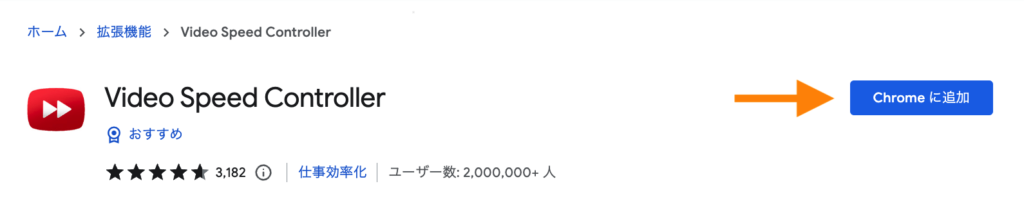
「Chromeに追加」のボタンを押すと、Chromeの拡張機能に追加できます。
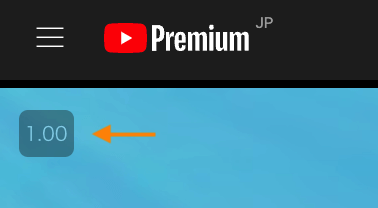
その後に、YouTubeで好きな動画を再生すると、左上のほうに数字が出てきます。
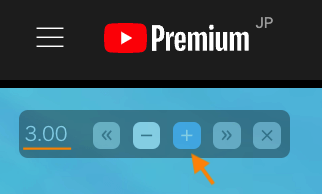
そこをクリックすると、いくつかボタンが出てきて、「+」を押すと再生速度が速くなります。
3倍速にしたかったら「3.00」にすればOKです。
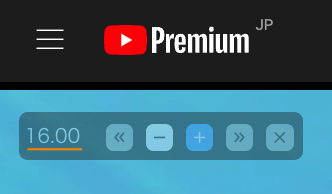
MAXは16倍速までいけます。
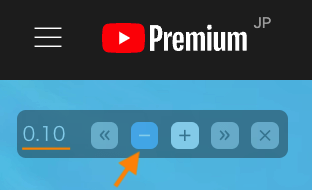
逆に遅くしたい場合は、「-」ボタンを押していけば低速にできます。
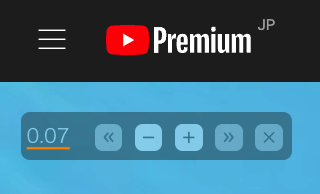
1番遅いのは0.07倍速でした。